First draft in minutes
A short brief — cuisine, tone, service style — returns a full menu with sections, dishes, prices, and copy already written in your template's voice.
AI design partner
Brief Carte once and you'll have a polished first draft in minutes. Then sit with the agent — chat, comment, redesign, roll back. When it's right, publish a permanent edition that stays always live.
What it does
A short brief — cuisine, tone, service style — returns a full menu with sections, dishes, prices, and copy already written in your template's voice.
The AI Assistant sits beside the menu. Ask for a punchier dessert section, a low-ABV cocktail, a tighter copy pass — it knows the whole menu and applies the change in place.
Click any item in the preview, drop a comment ("shorter," "more romantic," "swap this dish"), and ask the agent to apply your comments in one go.
Cmd-Z undoes the last edit. Don't like the last AI turn? Roll it back. Iterate freely — nothing is final until you publish.
Save a version when you're at a good place. Try a redesign. If it doesn't work, open History and restore any saved version with one click.
Stuck on a section? Ask the agent for ideas — pairings, seasonal swaps, a new house cocktail. The chat is a back-and-forth, not a one-shot generator.
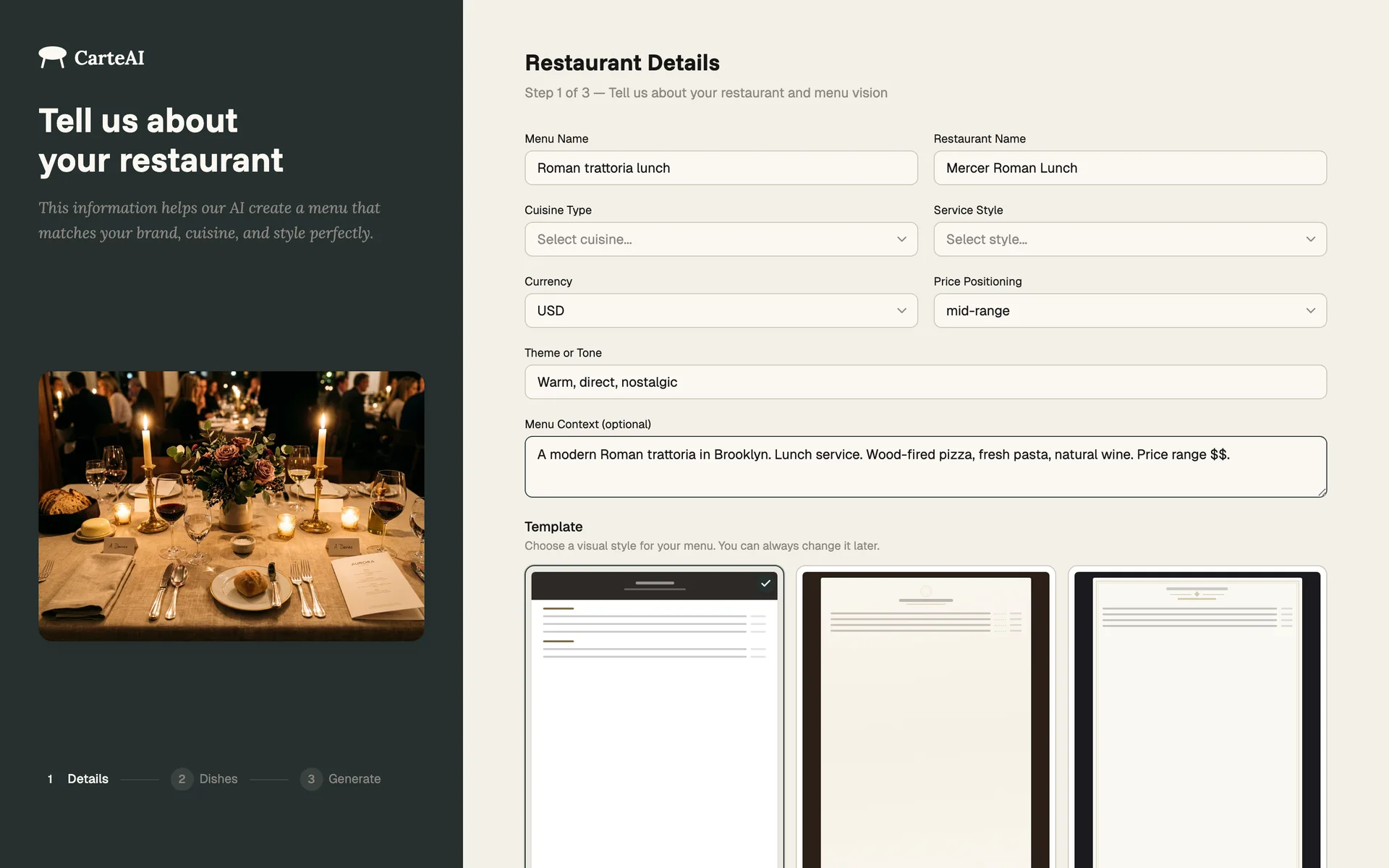
Step 01 — Brief
A short guided brief — cuisine, tone, service style, price range, the dishes you serve, and a template that fits the room. Pick what you have; sensible defaults cover the rest.
A polished first draft arrives in minutes, written and styled in your chosen template's voice. Ready to refine.
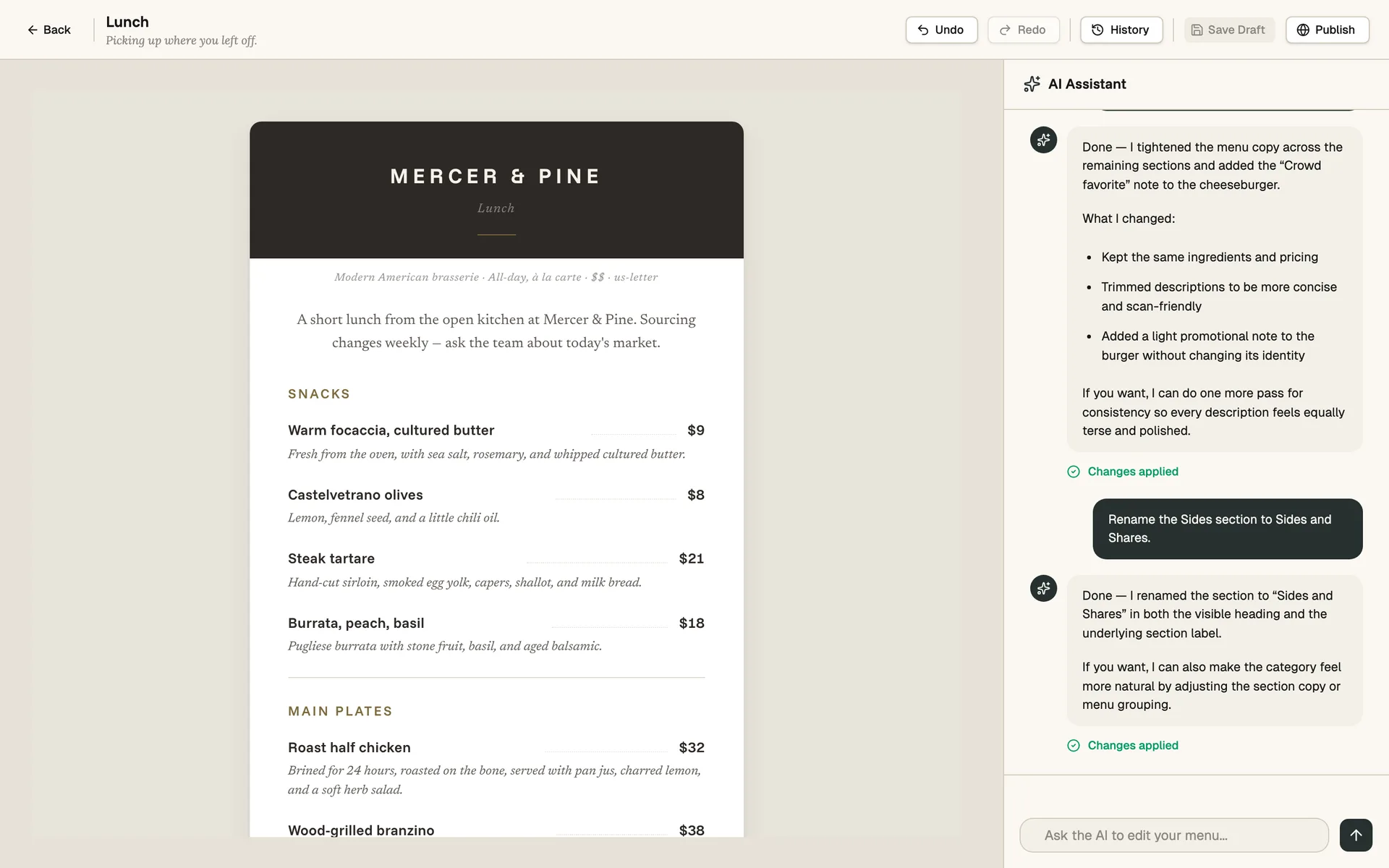
Step 02 — Edit by conversation
The AI Assistant sits in the right pane of the editor. Ask for a punchier dessert section, a low-ABV cocktail, a tighter copy pass — it knows the whole menu and applies the change in place.
It works in multi-step requests too. *"Tighten Mains and make Desserts more playful"* is one turn, not three.
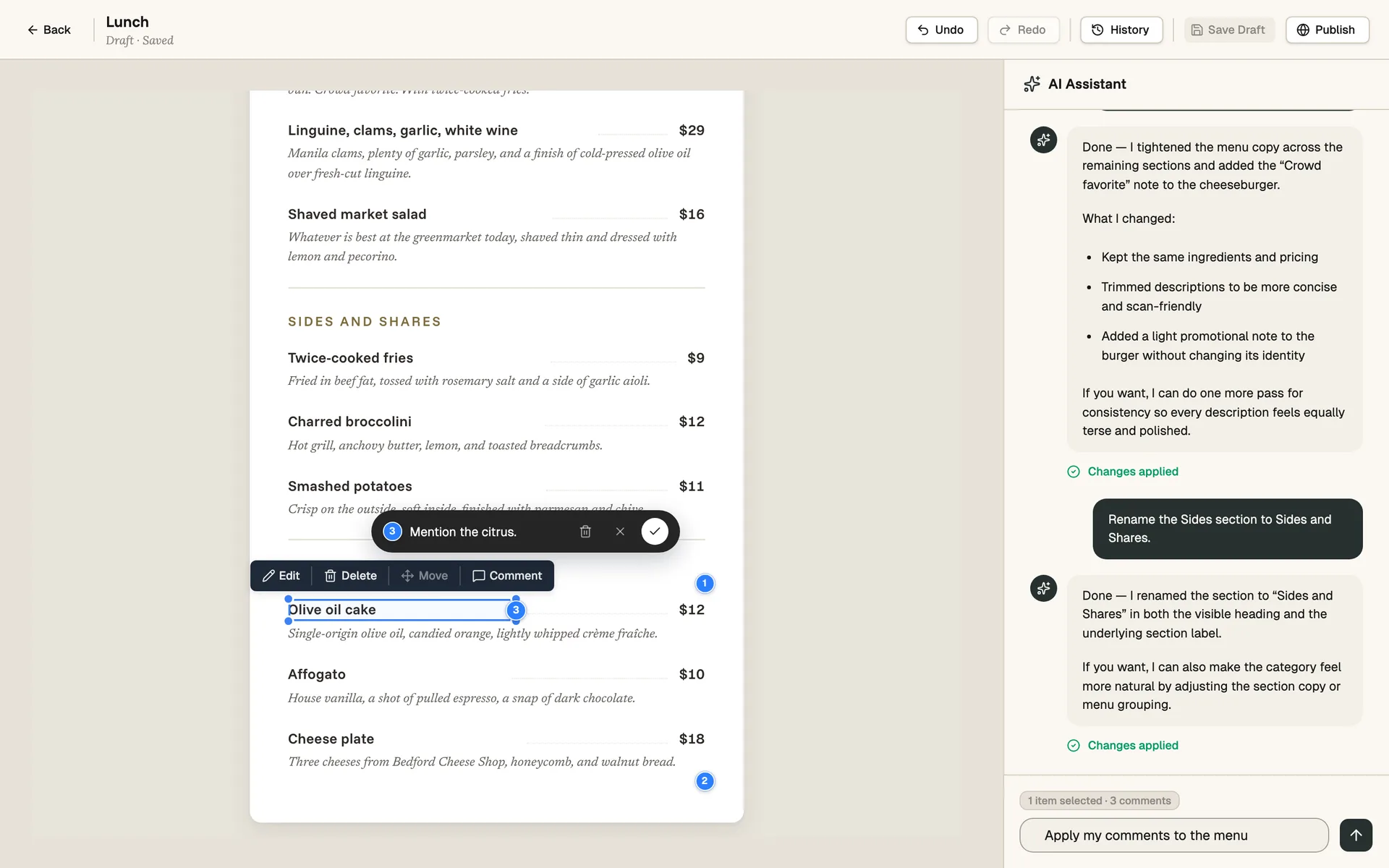
Step 03 — Comment on the design
Click any item in the preview, drop a comment — *"shorter,"* *"more romantic,"* *"swap this dish"* — and the agent has the context. Comments show up as numbered pins on the menu.
When you're done, hit *Apply my comments to the menu* and the agent handles every pin in a single turn.
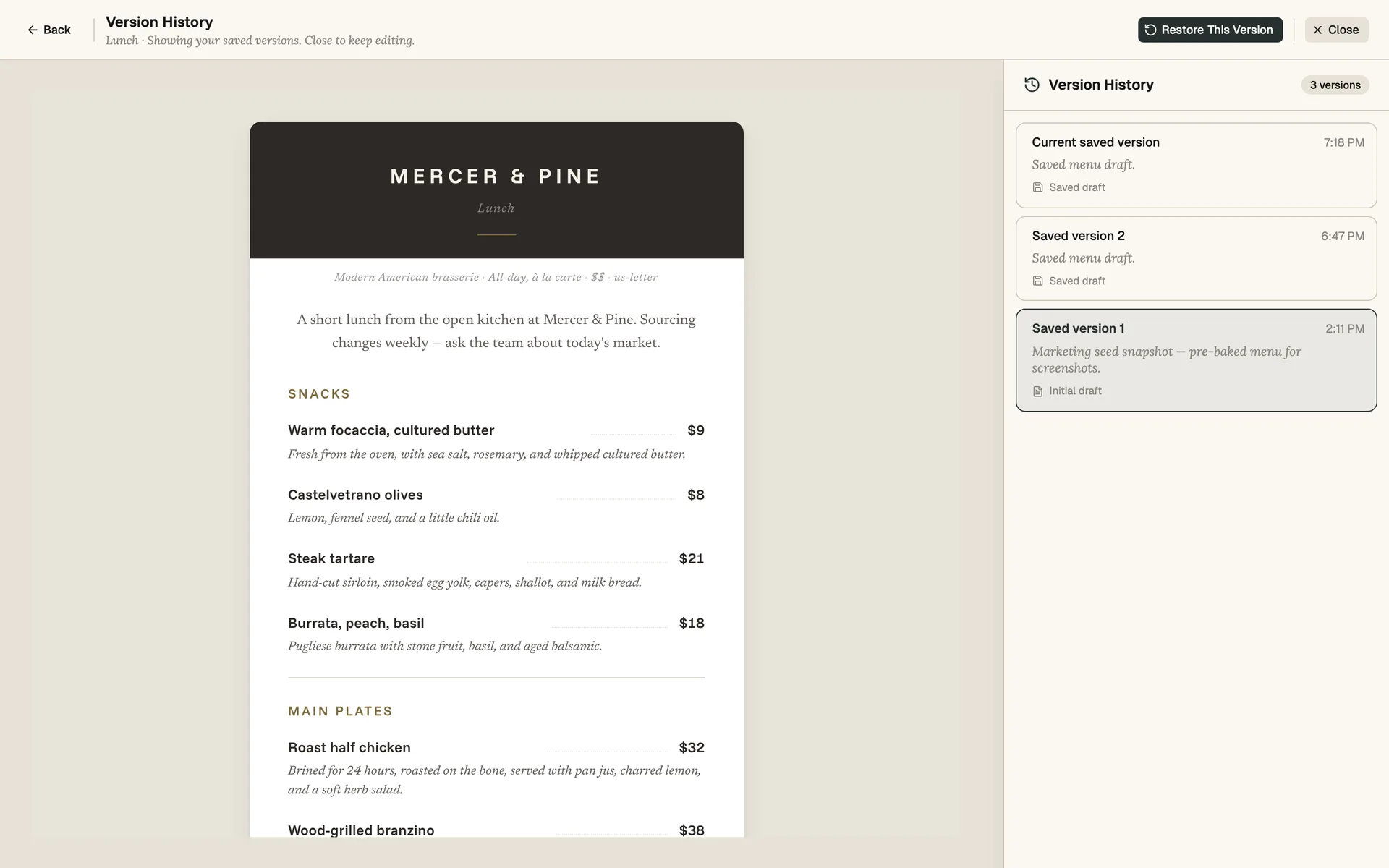
Step 04 — Undo, redo, restore
Cmd-Z to undo the last edit. Cmd-Shift-Z to redo. The editor behaves like a real editor — keyboard shortcuts and all.
Save a version when you're at a good place. Try a redesign. If it doesn't land, open History in the top bar and restore any saved version with one click. The current draft is preserved alongside it.

Step 05 — Publish
When the menu is right, hit Publish. Carte renders the hosted mobile menu, the print-ready PDF, and the branded QR card together — frozen as a permanent edition.
That edition lives on its own URL forever. Print the QR card with confidence — the link guests scan today still works in five years.
Most first drafts arrive in under a minute. The AI streams sections as they finish so you can start editing the appetizers while the desserts are still being written.
It can rewrite individual descriptions, redesign whole sections, swap or invent dishes, retune the brand voice, change formatting, suggest pairings, and apply your selection-based comments. It has the whole menu in context, so multi-step requests like "tighten Mains and make Desserts more playful" work in one turn.
Yes. Select any item in the preview, click Comment, and type a short note — "shorter," "more romantic," "swap this dish." Saved comments appear as numbered pins on the menu. When you ask the agent to apply your comments, it handles them all in a single turn.
Cmd-Z to undo, just like a real editor. Cmd-Shift-Z to redo. For bigger rollbacks, save a version when you're at a good state — then explore freely. If the new direction doesn't land, open History and restore the saved version in one click.
Yes. Click History in the editor's top bar to open the Version History panel. Each saved draft and each prior published version is listed with a timestamp. Click "Restore This Version" to bring it back as the current draft.
The agent handles English, French, Italian, Spanish, German, Turkish, Japanese, and several other languages. You can also mix languages — for example, English copy with Italian dish names.
Only if you ask. Provide a dish list and the agent writes around your items. Ask it to brainstorm and it will propose new dishes you can keep or prune. You're the decision-maker — every edit is reversible.
Drafting and iterating are unlimited and free. Publish a finished menu when you're sure — it stays always live.